
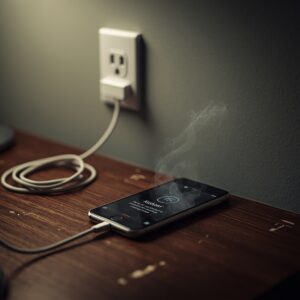
Have you noticed your phone getting unusually hot while charging? If yes, you are not alone. In India, with summers getting hotter and phones being used heavily, many people face the phone heating problem while charging.
A hot phone is not just uncomfortable to hold — it can also reduce battery life and affect performance. In this guide, we’ll explain why your phone is heating while charging, the risks of overheating, and practical ways to stop phone overheating while charging and prevent it in the future.
Why Does My Phone Get Hot While Charging?
You might wonder, why my phone is heating while charging. There are several reasons for this. Let’s go step by step.
Overcharging the Phone
Keeping your phone plugged in after it reaches 100% can lead to heat build-up. Some devices keep drawing a small current even when full, which can increase the risk of phone overheating while charging.
Fast Charging
Fast charging is very convenient, but it produces more heat as your battery draws power quickly. This is why many users notice fast charging overheating, especially with older batteries.
Poor Ventilation
Charging your phone on a bed, under pillows, or in direct sunlight can block airflow. Poor ventilation prevents heat from escaping, making the device hotter.
Low-Quality Charger or Cable
Using poor quality chargers or non-certified cables can increase the temperature of your device. Always use chargers and cables recommended by the phone brand to avoid overheating damage battery issues.
Using Phone While Charging
Streaming videos, playing games, or running heavy apps while charging puts extra load on the processor and battery, which can make your phone gets hot while charging.
Aging Battery
Older batteries lose efficiency over time. If your phone has been used for more than 2–3 years, heat from fast charging or heavy usage can increase, causing long-term damage.
Risks of Overheating While Charging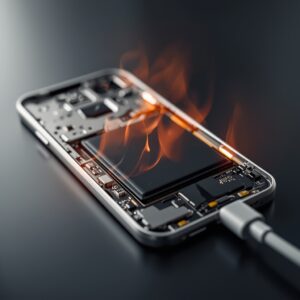
Even though a little warmth is normal, frequent overheating can harm your phone. Here’s what can happen:
-
Permanent Battery Damage: Continuous overheating can shorten battery lifespan.
-
Faster Wear of Internal Components: Heat can degrade the phone’s processor and other parts.
-
Reduced Charging Efficiency: Hot phones take longer to charge and may not reach full capacity.
-
Poor Performance: Overheating can cause lag, freezes, or sudden shutdowns.
Quick Fixes to Stop Phone from Heating While Charging
Here are simple steps to stop phone overheating while charging and keep your device safe:
-
Unplug and Let It Cool: If your phone is too hot, disconnect it and give it time to cool down.
-
Remove Phone Case: Taking off the case allows better airflow, reducing heat.
-
Keep Phone in a Cool Area: Avoid sunlight or heaters while charging.
-
Use a Fan or Cooling Pad: Helps dissipate heat faster, especially in Indian summers.
-
Switch to Airplane Mode: Reduces battery usage during charging.
-
Close Background Apps: Stop unnecessary apps running in the background to reduce processor load.
-
Use a Wall Outlet: Charging directly via a wall socket is safer than USB ports, which can fluctuate in power.
Tip: These steps also help prevent mobile heating and battery draining.
Tips to Prevent Phone from Overheating
Preventing the problem is easier than fixing it. Follow these tips to keep your phone cool:
-
Avoid Overcharging: Unplug your phone once it reaches 100%.
-
Use High-Quality Charger & Cable: Cheap or counterfeit chargers can overheat your device.
-
Turn Off Unnecessary Features: Wi-Fi, Bluetooth, and GPS can increase battery load.
-
Keep Software Updated: Updates improve performance and can reduce fast charging overheating.
-
Monitor Battery Health: Replace old or degraded batteries to prevent excessive heat.
-
Avoid Heavy Usage While Charging: Gaming or streaming adds heat.
When to Worry About Phone Overheating
A slightly warm phone is normal, but check for these warning signs:
-
Temperature consistently above 45–50°C
-
Swollen or leaking battery
-
Phone shuts down unexpectedly
In India, hot summers and unstable electricity can make phone overheating while charging worse. So it’s important to monitor your device and follow safety measures.
FAQ Section
Q1: Is it normal for my phone to get hot while charging?
Yes, slight warmth is normal. But if it gets too hot often, it may indicate fast charging overheating or heavy background apps running.
Q2: Can overheating damage my phone battery?
Yes, repeated overheating can shorten battery life, reduce capacity, and harm internal components.
Q3: Should I stop using fast charging?
Not necessarily. Fast charging is safe if your phone supports it. Just avoid gaming or heavy usage while charging.
Q4: At what temperature is phone overheating dangerous?
If your phone exceeds 45–50°C, it can damage battery and other components.
Q5: How to cool phone quickly while charging?
Unplug, remove the case, place in a cool area, close background apps, or use a fan/cooling pad.
Q6: Does using phone while charging increase heat?
Yes. Streaming, gaming, or background apps increase processor load and heat, contributing to mobile heating and battery draining.
Conclusion
Phone heating problem while charging is common but manageable. Knowing the causes — overcharging, fast charging, poor ventilation, aging batteries, and low-quality chargers — helps you take the right action.
Follow quick fixes and prevention tips to reduce heat, protect your battery, and improve performance. Safe charging habits ensure your phone stays cool and lasts longer, even in India’s hot weather.