
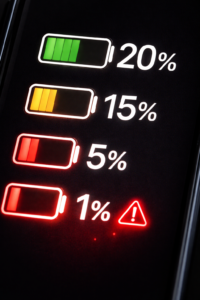
Have you ever noticed this? Your phone shows around 20% battery, and you think “okay, still some time left”… and suddenly it drops to 5% or just switches off.
I’ve personally seen this happen a lot—not just on old phones, even on mid-range devices after 1–2 years of use. It feels random, but actually there are some clear reasons behind it.
If your phone battery drops suddenly from 20 to 0, don’t worry. This is a very common issue, and in most cases, you can fix it without doing anything complicated.
Why Does My Phone Battery Drop from 20 to 0 Suddenly?
There isn’t just one reason behind this problem. Usually, it’s a mix of battery condition, software issues, and daily usage habits.
The biggest reason is battery health.
Over time, every smartphone battery becomes weaker. After 1–2 years, it can’t hold charge properly like it used to. So even if your phone shows 20%, the actual battery might already be much lower.
That’s why your phone shuts off at 20 percent battery or drops suddenly without warning. I’ve noticed this especially in phones used heavily for gaming or constant charging.
Battery Health Problem (Most Common Reason)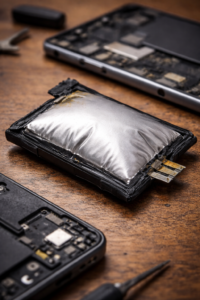
This is something many people ignore.
As your battery ages, it starts behaving unpredictably:
- Battery percentage becomes inaccurate
- Phone battery suddenly dies at 20 percent
- Battery drains faster than normal
In simple words, your phone is showing wrong information because the battery is no longer reliable.
Battery Calibration Problem (Hidden Cause)
Sometimes the issue is not the battery itself, but the reading.
Your phone might show:
- 20% battery (but actual is 5%)
Then suddenly it shuts down.
This is called a battery calibration problem, and it’s very common in Android phones, especially after updates.
In many cases where battery percentage drops suddenly android, calibration is the real issue.
Background Apps Draining Battery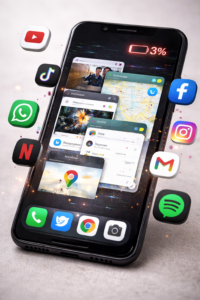
Another reason is background apps.
Even when you’re not using your phone, apps keep running:
- Social media
- Games
- Location services
They keep using battery silently, which leads to battery draining fast suddenly.
I’ve seen phones with too many apps installed facing this problem more often.
Temperature and Heating Issues
Battery performance changes with temperature.
If your phone is: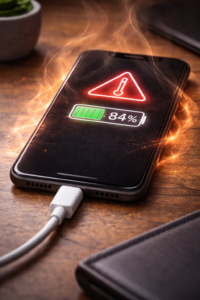
- Too hot 🔥
- Too cold ❄️
Then battery can drop faster than expected.
That’s why sometimes your phone battery suddenly dies at 20 percent when the device heats up during charging or gaming.
Software Bugs or Recent Updates
Sometimes the issue starts after a software update.
This happens because:
- Bugs affect battery reading
- Background activity increases
- System miscalculates battery percentage
If your problem started recently, this could be the reason.
Fast Charging and Heavy Usage Habits
Fast charging is useful, but over time it affects battery health.
Also habits like:
- Gaming while charging
- Watching videos for long hours
These slowly damage the battery and lead to sudden drops later.
How to Fix Phone Battery Dropping Suddenly
Now let’s talk about simple fixes that actually work.
Calibrate Your Battery (First Thing to Try)
This is one of the easiest and most effective fixes.
Steps:
- Use your phone until it turns OFF
- Charge it to 100% without interruption
- Keep charging for another 30–60 minutes
- Restart your phone
I’ve personally tried this on multiple devices, and in many cases, it fixed the issue without replacing the battery.
Check Battery Health
If your phone is more than 2 years old, battery health might be the problem.
Signs:
- Phone shuts off at 20%
- Battery drains very fast
- Charging feels inconsistent
In such cases, replacing the battery is the best long-term solution.
Close Background Apps
Too many apps = more battery usage.
What you can do:
- Remove unused apps
- Disable auto-start apps
- Limit background activity
This helps reduce battery draining fast suddenly
Turn Off Unnecessary Features
Some features use battery continuously:
- GPS
- Bluetooth
- High brightness
- WiFi scanning
Turning them off when not needed can improve battery stability.
Update or Reset Your Phone
If the issue started after an update:
- Check for new updates (bug fixes)
- Reset your phone (only if needed)
Avoid Overheating
Simple habits can make a big difference:
- Don’t use phone while charging
- Avoid long gaming sessions
- Remove thick case while charging
When Should You Replace Your Battery?
If you notice these signs:
- Phone battery suddenly dies at 20 percent
- Battery drops from 40% to 10% quickly
- Phone shuts down randomly
Then your battery is likely damaged.
In that case, battery replacement is the best option.
FAQs (People Also Ask)
Why does my phone suddenly die at 20%?
Because of battery health issues or wrong battery calibration.
Is it normal for battery to drop quickly?
No, sudden drops usually indicate a problem.
Can a bad battery cause sudden shutdown?
Yes, it’s the most common reason.
How do I fix battery percentage dropping fast?
Calibrate battery, reduce background apps, and check battery health.
Does temperature affect battery?
Yes, extreme heat or cold can cause sudden battery drops.
Final Thoughts
If your phone battery drops from 20 to 0 suddenly, it’s not a random issue.
In most cases, the reason is:
- Battery health degradation
- Calibration problem
- Background apps
- Software bugs
Start with simple fixes like calibration and app cleanup. In many cases, that’s enough.
But if the problem continues, don’t ignore it. Replacing the battery can completely solve the issue and make your phone feel normal again.
🔗 Related Articles You May Find Helpful
If you’re facing battery issues, these guides can help you solve other common smartphone problems:
- Phone Heating While Charging? Here’s How to Fix It
Learn why your phone heats up during charging and simple ways to cool it down. - Why Is My Phone Battery Draining Fast Suddenly? (Easy Fixes)
Step-by-step solutions to stop fast battery drain and improve battery life. - Slow Charging Problem in Smartphones – Causes & Solutions
Understand why your phone is charging slowly and how to fix it quickly. - How to Improve Battery Health in Smartphones (Pro Tips)
Simple habits that can extend your battery life and prevent damage. - Why Does My Phone Hang or Lag? (Fix Performance Issues Fast)
If your phone feels slow along with battery issues, this guide will help.